Build an AI Social Media Agent in Python: Step-by-Step Guide
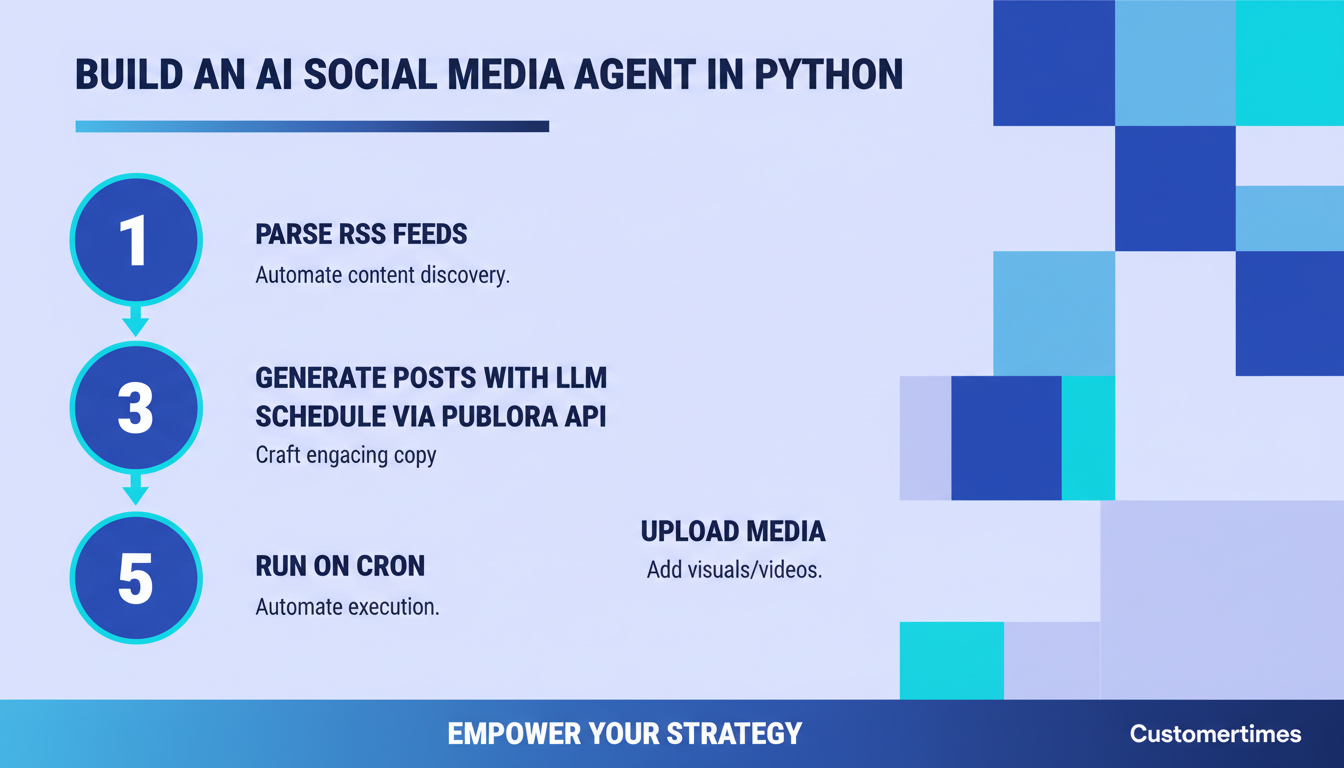
TL;DR
Build an autonomous AI agent in Python that reads RSS feeds, generates social media posts with Claude, and schedules them via Publora API. Complete working code with rate limiting, error handling, and 3 deployment options.
What We're Building
In this tutorial, you'll build a fully autonomous AI social media agent in Python — a program that runs on its own, reads content from RSS feeds, uses Claude AI to generate platform-specific social posts, and schedules them for publishing via the Publora API. No manual intervention required.
This isn't a toy demo. By the end, you'll have a production-ready agent that can manage your social media presence across 10 platforms — Instagram, LinkedIn, X, Threads, Telegram, and more — while you focus on creating the original content it promotes.
What you'll learn:
- How to build an AI agent from scratch — no bloated frameworks needed
- RSS feed parsing and content extraction with
feedparser- Generating platform-optimized posts using the Anthropic Claude API
- Scheduling and publishing via the Publora REST API
- Media uploads with presigned URLs
- Production deployment: cron, systemd, or GitHub Actions
~200
Lines of Python
10
Supported platforms
0
Frameworks required
Architecture Overview
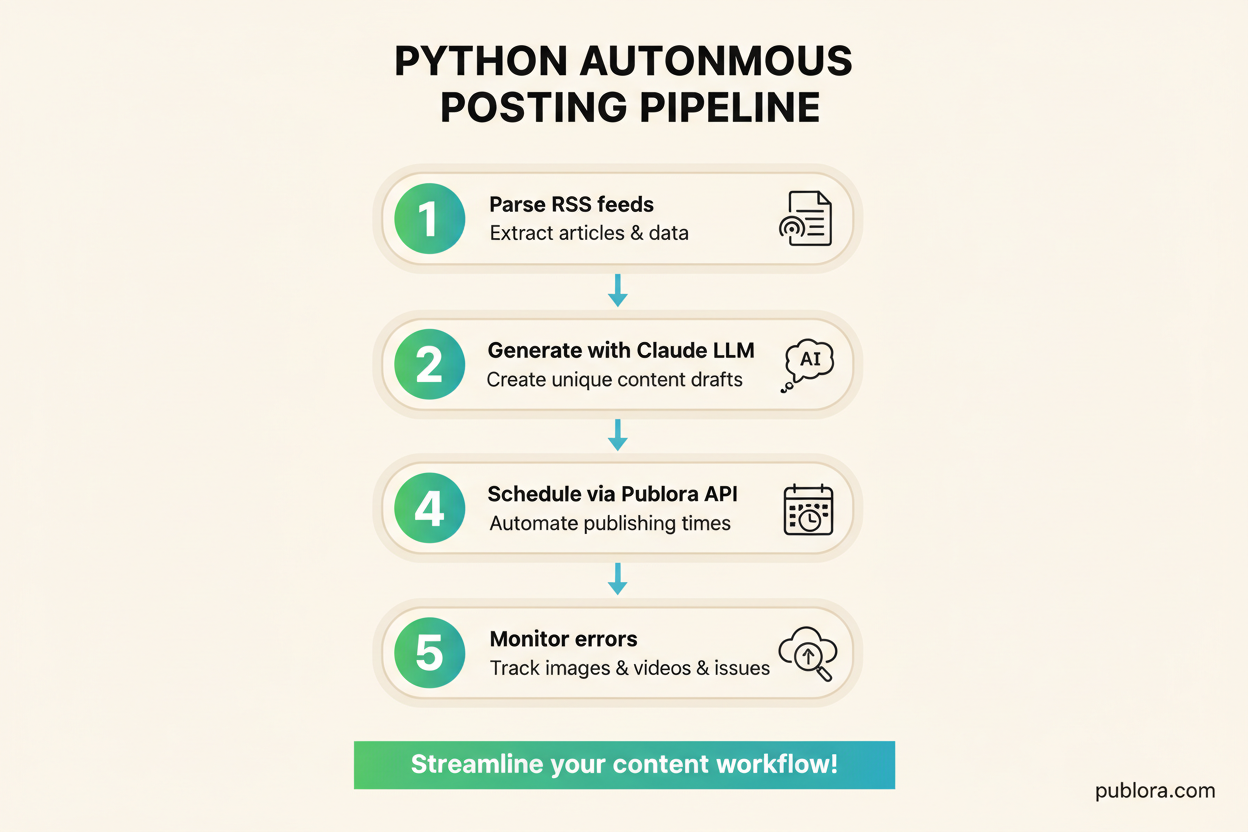
Before writing code, let's understand how the pieces fit together. The agent follows a simple sense-think-act loop — the same pattern used by every AI agent framework, but without the framework overhead.
RSS Feeds
Fetch latest articles from configured sources
Claude AI
Generate platform-specific posts from article summaries
Publora API
Schedule posts with media across 10 platforms
State Tracker
Track processed articles to prevent duplicates
Scheduler
Cron, systemd, or GitHub Actions runs the loop
Data flow: RSS Feed → feedparser → Claude API → Publora API → Instagram, LinkedIn, X, Telegram, etc.
Prerequisites
Before you start, make sure you have the following:
Python 3.11+
Required for modern type hints and tomllib. Check with python3 --version.
Publora API Key
Sign up at app.publora.com, then go to Settings → API Keys. Header: x-publora-key.
Anthropic API Key
Get yours at console.anthropic.com. Claude Haiku is recommended for cost efficiency.
Connected Social Accounts
Connect at least one platform in Publora's Connections page. Note the platform IDs.
Step 1: Project Setup
Create a new directory and set up an isolated Python environment. We only need three external packages — no heavyweight AI agent framework required.
mkdir social-media-agent && cd social-media-agent
python3 -m venv venv
source venv/bin/activate
Create requirements.txt:
requests==2.32.3
feedparser==6.0.11
anthropic==0.42.0
pip install -r requirements.txtNow create a config.py file to hold your settings. Never hardcode API keys in your main script.
"""config.py — Agent configuration. Load from environment variables."""
import os

# API Keys (set these as environment variables)
PUBLORA_API_KEY = os.environ["PUBLORA_API_KEY"]       # Your Publora API key
ANTHROPIC_API_KEY = os.environ["ANTHROPIC_API_KEY"]    # Your Anthropic API key

# Publora API
PUBLORA_BASE_URL = "https://api.publora.com/api/v1"

# Platform IDs from your Publora dashboard (Connections page)
# Replace these with your actual platform IDs
PLATFORM_IDS = [
    "linkedin-abc123",          # Your LinkedIn page
    "x-twitter-def456",         # Your X/Twitter account
    # "instagram-ghi789",       # Add more platforms as needed
]

# RSS feeds to monitor
RSS_FEEDS = [
    "https://techcrunch.com/feed/",
    "https://feeds.arstechnica.com/arstechnica/technology-lab",
    "https://hnrss.org/best?count=5",
]

# Agent settings
MAX_POSTS_PER_RUN = 5           # Don't overwhelm followers
SCHEDULE_SPREAD_MINUTES = 90    # Space posts apart
CLAUDE_MODEL = "claude-haiku-4-5-20250414"  # Fast and cheap for social posts
STATE_FILE = "processed_articles.json"
Tip: Environment Variables
Set your keys before running: export PUBLORA_API_KEY="sk_your_key" && export ANTHROPIC_API_KEY="sk-ant-your_key". For production, use a .env file with python-dotenv or your deployment platform's secrets manager.
Step 2: RSS Feed Reader
The agent's first job is to sense — find new content worth sharing. We'll build a feed reader that fetches RSS feeds, extracts the latest articles, and returns them in a clean format.
"""feed_reader.py — Fetch and parse RSS feeds."""
import feedparser
import time
from dataclasses import dataclass


@dataclass
class Article:
    """Represents a parsed article from an RSS feed."""
    title: str
    url: str
    summary: str
    source: str
    published: float  # Unix timestamp


def fetch_feeds(feed_urls: list[str], since_hours: int = 24) -> list[Article]:
    """
    Fetch articles from multiple RSS feeds published within the last N hours.

    Args:
        feed_urls: List of RSS feed URLs to fetch.
        since_hours: Only include articles from the last N hours.

    Returns:
        List of Article objects sorted by publish date (newest first).
    """
    cutoff = time.time() - (since_hours * 3600)
    articles: list[Article] = []

    for url in feed_urls:
        try:
            feed = feedparser.parse(url)
            source_name = feed.feed.get("title", url)

            for entry in feed.entries[:10]:  # Limit per feed
                # Parse publish date
                published = time.mktime(entry.published_parsed) \
                    if hasattr(entry, "published_parsed") and entry.published_parsed \
                    else time.time()

                if published < cutoff:
                    continue

                # Extract summary, strip HTML tags
                summary = entry.get("summary", "")
                if hasattr(entry, "content"):
                    summary = entry.content[0].get("value", summary)

                # Basic HTML tag stripping
                import re
                summary = re.sub(r"<[^>]+>", "", summary)
                summary = summary[:500]  # Truncate long summaries

                articles.append(Article(
                    title=entry.get("title", "Untitled"),
                    url=entry.get("link", ""),
                    summary=summary,
                    source=source_name,
                    published=published,
                ))
        except Exception as e:
            print(f"[WARN] Failed to fetch {url}: {e}")
            continue

    # Sort by publish date, newest first
    articles.sort(key=lambda a: a.published, reverse=True)
    return articles


if __name__ == "__main__":
    # Quick test
    from config import RSS_FEEDS
    articles = fetch_feeds(RSS_FEEDS, since_hours=48)
    for a in articles[:5]:
        print(f"  [{a.source}] {a.title}")
        print(f"    {a.url}")
        print()
Run a quick test to make sure feeds are working:
python feed_reader.pyYou should see recent articles printed with their source, title, and URL. If a feed is unreachable, the reader logs a warning and moves on — resilience is important for an autonomous agent.
Step 3: LLM Content Generator
This is the brain of your AI agent. Given an article, Claude generates a social media post that sounds natural, includes a call-to-action, and respects platform character limits.
"""content_generator.py — Generate social posts with Claude AI."""
import anthropic
from feed_reader import Article
from config import ANTHROPIC_API_KEY, CLAUDE_MODEL


client = anthropic.Anthropic(api_key=ANTHROPIC_API_KEY)

SYSTEM_PROMPT = """You are a social media content writer for a professional brand.
Your job is to transform article summaries into engaging social media posts.

Rules:
- Write in a conversational, knowledgeable tone — not salesy or clickbait
- Include 1-2 relevant hashtags (not more)
- Include the article URL naturally
- Keep LinkedIn posts under 1300 characters
- Keep X/Twitter posts under 280 characters
- Keep Telegram posts under 2000 characters
- Add a brief insight or opinion, don't just summarize
- Never use phrases like "game-changer", "must-read", or "you won't believe"
- Never start with "Just read..." or "Check out..."
"""


def generate_post(article: Article, platform: str = "linkedin") -> str:
    """
    Generate a social media post for a specific platform.

    Args:
        article: The source article to create content from.
        platform: Target platform ("linkedin", "x-twitter", "telegram").

    Returns:
        Generated post text ready for publishing.
    """
    char_limits = {
        "linkedin": 1300,
        "x-twitter": 280,
        "telegram": 2000,
        "instagram": 2200,
        "threads": 500,
    }
    limit = char_limits.get(platform, 1000)

    user_prompt = f"""Generate a {platform} post about this article.
Max {limit} characters.

Title: {article.title}
Source: {article.source}
URL: {article.url}
Summary: {article.summary}

Return ONLY the post text. No explanations, no quotes around it."""

    message = client.messages.create(
        model=CLAUDE_MODEL,
        max_tokens=512,
        messages=[
            {"role": "user", "content": user_prompt}
        ],
        system=SYSTEM_PROMPT,
    )

    post_text = message.content[0].text.strip()

    # Safety check: enforce character limit
    if len(post_text) > limit:
        post_text = post_text[:limit - 3] + "..."

    return post_text


def generate_multi_platform(article: Article, platforms: list[str]) -> dict[str, str]:
    """
    Generate posts for multiple platforms from a single article.

    Returns:
        Dict mapping platform name to generated post text.
    """
    results = {}
    for platform in platforms:
        try:
            results[platform] = generate_post(article, platform)
        except Exception as e:
            print(f"[WARN] Failed to generate for {platform}: {e}")
    return results


if __name__ == "__main__":
    # Test with a sample article
    sample = Article(
        title="OpenAI Releases GPT-5 with Native Tool Use",
        url="https://example.com/gpt5-release",
        summary="OpenAI announced GPT-5 today with built-in tool use capabilities, "
                "allowing the model to browse the web, execute code, and call APIs "
                "without external orchestration.",
        source="TechCrunch",
        published=0,
    )
    for platform in ["linkedin", "x-twitter", "telegram"]:
        print(f"\n--- {platform.upper()} ---")
        print(generate_post(sample, platform))
Example LinkedIn output:
OpenAI just shipped native tool use in GPT-5 — no more LangChain wrappers or function-calling hacks to browse the web or hit APIs.
The real shift: models are becoming complete agents out of the box. The middleware layer we've been building for 2 years may be yesterday's architecture.
Worth reading the technical details: https://example.com/gpt5-release
#AI #LLM
Example X/Twitter output:
GPT-5 ships with native tool use — browsing, code execution, API calls, no orchestration needed. The LLM middleware era may be ending. https://example.com/gpt5-release #AI
Step 4: Publora API Integration
Now we connect to Publora's REST API to actually schedule and publish posts. The key endpoint is POST /api/v1/create-post. For the full API reference, see the create-post documentation.
"""publora_client.py — Publora API client for scheduling posts."""
import requests
from datetime import datetime, timezone, timedelta
from config import PUBLORA_API_KEY, PUBLORA_BASE_URL, PLATFORM_IDS


class PubloraClient:
    """Client for the Publora REST API."""

    def __init__(self, api_key: str = PUBLORA_API_KEY, base_url: str = PUBLORA_BASE_URL):
        self.base_url = base_url
        self.headers = {
            "Content-Type": "application/json",
            "x-publora-key": api_key,
        }

    def create_post(
        self,
        content: str,
        platforms: list[str] | None = None,
        scheduled_time: datetime | None = None,
    ) -> dict:
        """
        Create and schedule a post via the Publora API.

        Args:
            content: The post text.
            platforms: List of platform IDs. Defaults to config PLATFORM_IDS.
            scheduled_time: When to publish. None = publish immediately.

        Returns:
            API response dict with postGroupId.

        Raises:
            requests.HTTPError: If the API returns an error status.
        """
        platforms = platforms or PLATFORM_IDS

        payload = {
            "content": content,
            "platforms": platforms,
        }

        if scheduled_time:
            payload["scheduledTime"] = scheduled_time.isoformat()

        response = requests.post(
            f"{self.base_url}/create-post",
            headers=self.headers,
            json=payload,
            timeout=30,
        )
        response.raise_for_status()
        return response.json()

    def list_connections(self) -> list[dict]:
        """
        List all connected platform accounts.
        Useful for discovering platform IDs dynamically.

        Returns:
            List of connection objects with id, platform, name fields.
        """
        response = requests.get(
            f"{self.base_url}/connections",
            headers={"x-publora-key": self.headers["x-publora-key"]},
            timeout=15,
        )
        response.raise_for_status()
        return response.json().get("connections", [])

    def get_upload_url(self, post_group_id: str, filename: str) -> str:
        """
        Get a presigned URL for uploading media to a post.

        Args:
            post_group_id: The postGroupId from create_post response.
            filename: Name of the file to upload (e.g., "photo.jpg").

        Returns:
            Presigned upload URL string.
        """
        response = requests.get(
            f"{self.base_url}/upload-media/{post_group_id}",
            params={"filename": filename},
            headers={"x-publora-key": self.headers["x-publora-key"]},
            timeout=15,
        )
        response.raise_for_status()
        return response.json()["uploadUrl"]


# Module-level convenience function
_client = PubloraClient()


def create_post(
    content: str,
    platforms: list[str] | None = None,
    scheduled_time: datetime | None = None,
) -> dict:
    """Convenience wrapper around PubloraClient.create_post."""
    return _client.create_post(content, platforms, scheduled_time)


if __name__ == "__main__":
    # List your connected platforms
    client = PubloraClient()
    connections = client.list_connections()
    print("Connected platforms:")
    for conn in connections:
        print(f"  {conn['platform']}: {conn['id']} ({conn.get('name', 'unnamed')})")
Important: Get Your Platform IDs
Before scheduling posts, run python publora_client.py to list your connected platforms and their IDs. Copy these IDs into config.py. You can also find them in the Publora dashboard under Connections.
Step 5: Media Upload Support
Posts with images get significantly more engagement. Publora uses a presigned URL workflow for media uploads: first you request an upload URL, then you PUT the file directly. See the media upload guide for details.
"""media.py — Download article images and upload to Publora."""
import requests
import os
import tempfile
from urllib.parse import urlparse
from publora_client import PubloraClient


def download_image(image_url: str) -> tuple[bytes, str] | None:
    """
    Download an image from a URL.

    Args:
        image_url: URL of the image to download.

    Returns:
        Tuple of (image_bytes, filename) or None if download fails.
    """
    try:
        response = requests.get(image_url, timeout=15, stream=True)
        response.raise_for_status()

        # Determine filename from URL
        parsed = urlparse(image_url)
        filename = os.path.basename(parsed.path) or "image.jpg"

        # Ensure it has an extension
        if "." not in filename:
            content_type = response.headers.get("Content-Type", "image/jpeg")
            ext = content_type.split("/")[-1].split(";")[0]
            filename = f"image.{ext}"

        image_data = response.content

        # Skip files that are too large (> 8 MB for images)
        if len(image_data) > 8 * 1024 * 1024:
            print(f"[WARN] Image too large ({len(image_data)} bytes): {image_url}")
            return None

        return image_data, filename

    except Exception as e:
        print(f"[WARN] Failed to download image {image_url}: {e}")
        return None


def upload_media_to_post(
    client: PubloraClient,
    post_group_id: str,
    image_data: bytes,
    filename: str,
) -> bool:
    """
    Upload an image to an existing Publora post via presigned URL.

    Args:
        client: PubloraClient instance.
        post_group_id: The postGroupId from create_post.
        image_data: Raw image bytes.
        filename: Filename for the upload.

    Returns:
        True if upload succeeded, False otherwise.
    """
    try:
        # Step 1: Get presigned upload URL
        upload_url = client.get_upload_url(post_group_id, filename)

        # Step 2: Determine content type
        ext = filename.rsplit(".", 1)[-1].lower()
        content_types = {
            "jpg": "image/jpeg",
            "jpeg": "image/jpeg",
            "png": "image/png",
            "gif": "image/gif",
            "webp": "image/webp",
            "mp4": "video/mp4",
        }
        content_type = content_types.get(ext, "image/jpeg")

        # Step 3: Upload the file
        response = requests.put(
            upload_url,
            data=image_data,
            headers={"Content-Type": content_type},
            timeout=60,
        )
        response.raise_for_status()
        print(f"  [OK] Uploaded {filename} ({len(image_data)} bytes)")
        return True

    except Exception as e:
        print(f"  [ERR] Failed to upload {filename}: {e}")
        return False


def extract_article_image(article_summary: str, article_url: str) -> str | None:
    """
    Try to extract an image URL from an article's summary HTML or OG tags.
    Falls back to None if no image is found.
    """
    import re

    # Look for img tags in the summary
    img_match = re.search(r']+src=["\']([^"\']+)["\']', article_summary)
    if img_match:
        return img_match.group(1)

    return None
Step 6: The Agent Loop
This is where everything comes together. The agent loop is the core of your AI agent Python application — it orchestrates the sense-think-act cycle, tracks state, and spaces out posts to avoid flooding your followers.
"""agent.py — The main social media agent loop."""
import json
import time
from datetime import datetime, timezone, timedelta
from pathlib import Path

from config import (
    RSS_FEEDS, PLATFORM_IDS, MAX_POSTS_PER_RUN,
    SCHEDULE_SPREAD_MINUTES, STATE_FILE,
)
from feed_reader import fetch_feeds, Article
from content_generator import generate_post
from publora_client import PubloraClient
from media import download_image, upload_media_to_post, extract_article_image


def load_processed(state_file: str = STATE_FILE) -> set[str]:
    """Load the set of already-processed article URLs."""
    path = Path(state_file)
    if path.exists():
        data = json.loads(path.read_text())
        return set(data.get("processed_urls", []))
    return set()


def save_processed(urls: set[str], state_file: str = STATE_FILE) -> None:
    """Persist the set of processed article URLs."""
    # Keep only the last 500 entries to prevent unbounded growth
    trimmed = sorted(urls)[-500:]
    Path(state_file).write_text(json.dumps({
        "processed_urls": trimmed,
        "last_run": datetime.now(timezone.utc).isoformat(),
    }, indent=2))


def run_agent() -> None:
    """
    Main agent loop: fetch feeds, generate posts, schedule via Publora.
    Designed to be called once per run (by cron, systemd timer, etc.).
    """
    print(f"\n{'='*60}")
    print(f"Social Media Agent — {datetime.now(timezone.utc).strftime('%Y-%m-%d %H:%M UTC')}")
    print(f"{'='*60}\n")

    # Initialize
    client = PubloraClient()
    processed = load_processed()
    posts_created = 0

    # Step 1: Fetch new articles
    print("[1/4] Fetching RSS feeds...")
    articles = fetch_feeds(RSS_FEEDS, since_hours=24)
    new_articles = [a for a in articles if a.url not in processed]
    print(f"  Found {len(articles)} articles, {len(new_articles)} are new\n")

    if not new_articles:
        print("No new articles to process. Exiting.")
        return

    # Step 2: Generate and schedule posts
    print("[2/4] Generating and scheduling posts...\n")
    base_time = datetime.now(timezone.utc) + timedelta(minutes=30)

    for i, article in enumerate(new_articles[:MAX_POSTS_PER_RUN]):
        print(f"--- Article {i+1}/{min(len(new_articles), MAX_POSTS_PER_RUN)} ---")
        print(f"  Title: {article.title}")
        print(f"  Source: {article.source}")

        # Generate post content (use first platform type for content style)
        platform_type = PLATFORM_IDS[0].split("-")[0] if PLATFORM_IDS else "linkedin"
        try:
            post_text = generate_post(article, platform_type)
        except Exception as e:
            print(f"  [ERR] Content generation failed: {e}")
            continue

        print(f"  Generated {len(post_text)} chars")

        # Calculate scheduled time (spread posts apart)
        scheduled_time = base_time + timedelta(minutes=i * SCHEDULE_SPREAD_MINUTES)

        # Create the post in Publora
        try:
            result = client.create_post(
                content=post_text,
                platforms=PLATFORM_IDS,
                scheduled_time=scheduled_time,
            )
            post_group_id = result["postGroupId"]
            print(f"  [OK] Scheduled for {scheduled_time.strftime('%H:%M UTC')}")
            print(f"  Post ID: {post_group_id}")
        except Exception as e:
            print(f"  [ERR] Failed to create post: {e}")
            continue

        # Try to attach an image if the article has one
        image_url = extract_article_image(article.summary, article.url)
        if image_url:
            image_result = download_image(image_url)
            if image_result:
                image_data, filename = image_result
                upload_media_to_post(client, post_group_id, image_data, filename)

        # Mark as processed
        processed.add(article.url)
        posts_created += 1
        print()

    # Step 3: Save state
    print(f"[3/4] Saving state ({len(processed)} processed articles)...")
    save_processed(processed)

    # Step 4: Summary
    print(f"\n[4/4] Done! Created {posts_created} posts.")
    if posts_created > 0:
        first_time = base_time.strftime("%H:%M UTC")
        last_time = (base_time + timedelta(
            minutes=(posts_created - 1) * SCHEDULE_SPREAD_MINUTES
        )).strftime("%H:%M UTC")
        print(f"  Scheduled from {first_time} to {last_time}")
    print()


if __name__ == "__main__":
    run_agent()
Run the agent manually to test it:
export PUBLORA_API_KEY="sk_your_key_here"
export ANTHROPIC_API_KEY="sk-ant-your_key_here"
python agent.py
You should see output like this:
============================================================
Social Media Agent — 2026-04-07 14:30 UTC
============================================================
[1/4] Fetching RSS feeds...
Found 23 articles, 8 are new
[2/4] Generating and scheduling posts...
--- Article 1/5 ---
Title: AI Agents Are Reshaping Enterprise Software
Source: TechCrunch
Generated 847 chars
[OK] Scheduled for 15:00 UTC
Post ID: pg_x7k9m2n4
[OK] Uploaded hero.jpg (234591 bytes)
[4/4] Done! Created 5 posts.
Scheduled from 15:00 UTC to 21:00 UTC
Step 7: Rate Limiting and Error Handling
A production agent needs to handle failures gracefully. API rate limits, network timeouts, and malformed responses are inevitable. Let's add a retry decorator and rate limiter.
"""resilience.py — Rate limiting and retry logic for production use."""
import time
import functools
from datetime import datetime, timezone


class RateLimiter:
    """
    Simple token-bucket rate limiter.
    Ensures we don't exceed API rate limits.
    """

    def __init__(self, max_calls: int, period_seconds: int):
        self.max_calls = max_calls
        self.period = period_seconds
        self.calls: list[float] = []

    def wait_if_needed(self) -> None:
        """Block until a call is allowed under the rate limit."""
        now = time.time()
        # Remove calls outside the current window
        self.calls = [t for t in self.calls if now - t < self.period]

        if len(self.calls) >= self.max_calls:
            # Wait until the oldest call exits the window
            sleep_time = self.period - (now - self.calls[0]) + 0.1
            if sleep_time > 0:
                print(f"  [RATE] Waiting {sleep_time:.1f}s...")
                time.sleep(sleep_time)

        self.calls.append(time.time())


def retry_with_backoff(max_retries: int = 3, base_delay: float = 1.0):
    """
    Decorator that retries a function with exponential backoff.
    Catches requests.HTTPError and general exceptions.

    Args:
        max_retries: Maximum number of retry attempts.
        base_delay: Initial delay in seconds (doubles each retry).
    """
    def decorator(func):
        @functools.wraps(func)
        def wrapper(*args, **kwargs):
            last_exception = None
            for attempt in range(max_retries + 1):
                try:
                    return func(*args, **kwargs)
                except Exception as e:
                    last_exception = e
                    if attempt < max_retries:
                        delay = base_delay * (2 ** attempt)
                        print(f"  [RETRY] Attempt {attempt+1}/{max_retries} "
                              f"failed: {e}. Retrying in {delay:.1f}s...")
                        time.sleep(delay)
                    else:
                        print(f"  [FAIL] All {max_retries} retries exhausted.")
            raise last_exception
        return wrapper
    return decorator


# Pre-configured rate limiters
publora_limiter = RateLimiter(max_calls=30, period_seconds=60)    # 30 req/min
anthropic_limiter = RateLimiter(max_calls=50, period_seconds=60)  # 50 req/min
Now update content_generator.py and publora_client.py to use these:
# In content_generator.py — add to the generate_post function:
from resilience import retry_with_backoff, anthropic_limiter

@retry_with_backoff(max_retries=2)
def generate_post(article: Article, platform: str = "linkedin") -> str:
    anthropic_limiter.wait_if_needed()
    # ... rest of the function stays the same


# In publora_client.py — add to the create_post method:
from resilience import retry_with_backoff, publora_limiter

@retry_with_backoff(max_retries=3)
def create_post(self, content, platforms=None, scheduled_time=None):
    publora_limiter.wait_if_needed()
    # ... rest of the method stays the same
Do
- Use exponential backoff for retries (1s, 2s, 4s)
- Set timeouts on every HTTP request
- Log all failures for debugging
- Persist state after each successful post
- Respect API rate limits
Don't
- Retry indefinitely — set a max
- Ignore HTTP status codes
- Let one failed post kill the entire run
- Hardcode delays — use the rate limiter
- Skip state persistence — you'll get duplicates
Full Working Code Listing
Here's the complete project structure and all files for reference. You can also find this as a single-file version below.
social-media-agent/
  config.py              # API keys, feed URLs, platform IDs
  feed_reader.py         # RSS feed fetching and parsing
  content_generator.py   # Claude AI post generation
  publora_client.py      # Publora API client
  media.py               # Image download and upload
  resilience.py          # Rate limiting and retry logic
  agent.py               # Main agent loop
  requirements.txt       # Python dependencies
  processed_articles.json  # State file (auto-generated)
For those who prefer a single-file version, here is the complete agent condensed into one script:
#!/usr/bin/env python3
"""
social_media_agent.py — Single-file AI social media agent.

Reads RSS feeds, generates social posts with Claude, schedules via Publora.

Usage:
    export PUBLORA_API_KEY="sk_your_key"
    export ANTHROPIC_API_KEY="sk-ant-your_key"
    python social_media_agent.py

Requirements:
    pip install requests feedparser anthropic
"""
import os
import re
import json
import time
import functools
import requests
import feedparser
import anthropic
from datetime import datetime, timezone, timedelta
from dataclasses import dataclass
from pathlib import Path
from urllib.parse import urlparse

# ── Configuration ──────────────────────────────────────────────

PUBLORA_API_KEY = os.environ["PUBLORA_API_KEY"]
ANTHROPIC_API_KEY = os.environ["ANTHROPIC_API_KEY"]
PUBLORA_BASE = "https://api.publora.com/api/v1"
CLAUDE_MODEL = "claude-haiku-4-5-20250414"

PLATFORM_IDS = [
    "linkedin-abc123",      # Replace with your platform IDs
    "x-twitter-def456",     # from Publora dashboard > Connections
]

RSS_FEEDS = [
    "https://techcrunch.com/feed/",
    "https://hnrss.org/best?count=5",
]

MAX_POSTS_PER_RUN = 5
SCHEDULE_SPREAD_MINUTES = 90
STATE_FILE = "processed_articles.json"

# ── Data Model ─────────────────────────────────────────────────

@dataclass
class Article:
    title: str
    url: str
    summary: str
    source: str
    published: float

# ── Rate Limiting ──────────────────────────────────────────────

class RateLimiter:
    def __init__(self, max_calls: int, period: int):
        self.max_calls = max_calls
        self.period = period
        self.calls: list[float] = []

    def wait(self):
        now = time.time()
        self.calls = [t for t in self.calls if now - t < self.period]
        if len(self.calls) >= self.max_calls:
            sleep_for = self.period - (now - self.calls[0]) + 0.1
            if sleep_for > 0:
                time.sleep(sleep_for)
        self.calls.append(time.time())

api_limiter = RateLimiter(30, 60)
llm_limiter = RateLimiter(50, 60)

def retry(max_retries=3, base_delay=1.0):
    def decorator(func):
        @functools.wraps(func)
        def wrapper(*args, **kwargs):
            for attempt in range(max_retries + 1):
                try:
                    return func(*args, **kwargs)
                except Exception as e:
                    if attempt == max_retries:
                        raise
                    delay = base_delay * (2 ** attempt)
                    print(f"  [RETRY] {e} — waiting {delay:.1f}s")
                    time.sleep(delay)
        return wrapper
    return decorator

# ── Feed Reader ────────────────────────────────────────────────

def fetch_feeds(feed_urls: list[str], since_hours: int = 24) -> list[Article]:
    cutoff = time.time() - (since_hours * 3600)
    articles = []
    for url in feed_urls:
        try:
            feed = feedparser.parse(url)
            source = feed.feed.get("title", url)
            for entry in feed.entries[:10]:
                pub = (time.mktime(entry.published_parsed)
                       if getattr(entry, "published_parsed", None)
                       else time.time())
                if pub < cutoff:
                    continue
                summary = entry.get("summary", "")
                summary = re.sub(r"<[^>]+>", "", summary)[:500]
                articles.append(Article(
                    title=entry.get("title", "Untitled"),
                    url=entry.get("link", ""),
                    summary=summary,
                    source=source,
                    published=pub,
                ))
        except Exception as e:
            print(f"[WARN] Feed error {url}: {e}")
    articles.sort(key=lambda a: a.published, reverse=True)
    return articles

# ── Content Generator ──────────────────────────────────────────

claude = anthropic.Anthropic(api_key=ANTHROPIC_API_KEY)

SYSTEM = """You are a social media writer for a professional brand.
Transform article summaries into engaging social posts.
Rules: conversational tone, 1-2 hashtags, include the URL, add insight.
Never use "game-changer", "must-read", or start with "Just read..."."""

@retry(max_retries=2)
def generate_post(article: Article, platform: str) -> str:
    llm_limiter.wait()
    limits = {"linkedin": 1300, "x-twitter": 280, "telegram": 2000,
              "instagram": 2200, "threads": 500}
    limit = limits.get(platform, 1000)

    msg = claude.messages.create(
        model=CLAUDE_MODEL, max_tokens=512, system=SYSTEM,
        messages=[{"role": "user", "content":
            f"Generate a {platform} post ({limit} char max).\n\n"
            f"Title: {article.title}\nSource: {article.source}\n"
            f"URL: {article.url}\nSummary: {article.summary}\n\n"
            f"Return ONLY the post text."}],
    )
    text = msg.content[0].text.strip()
    return text[:limit - 3] + "..." if len(text) > limit else text

# ── Publora Client ─────────────────────────────────────────────

@retry(max_retries=3)
def create_post(content: str, platforms: list[str],
                scheduled_time: datetime | None = None) -> dict:
    api_limiter.wait()
    payload = {"content": content, "platforms": platforms}
    if scheduled_time:
        payload["scheduledTime"] = scheduled_time.isoformat()

    resp = requests.post(f"{PUBLORA_BASE}/create-post",
        headers={"Content-Type": "application/json",
                 "x-publora-key": PUBLORA_API_KEY},
        json=payload, timeout=30)
    resp.raise_for_status()
    return resp.json()

def upload_image(post_group_id: str, image_url: str) -> bool:
    try:
        img_resp = requests.get(image_url, timeout=15)
        img_resp.raise_for_status()
        img_data = img_resp.content
        if len(img_data) > 8_000_000:
            return False

        filename = os.path.basename(urlparse(image_url).path) or "image.jpg"
        url_resp = requests.get(
            f"{PUBLORA_BASE}/upload-media/{post_group_id}",
            params={"filename": filename},
            headers={"x-publora-key": PUBLORA_API_KEY}, timeout=15)
        url_resp.raise_for_status()

        upload_url = url_resp.json()["uploadUrl"]
        ext = filename.rsplit(".", 1)[-1].lower()
        ct = {"jpg": "image/jpeg", "jpeg": "image/jpeg",
              "png": "image/png"}.get(ext, "image/jpeg")

        requests.put(upload_url, data=img_data,
                     headers={"Content-Type": ct}, timeout=60).raise_for_status()
        return True
    except Exception as e:
        print(f"  [WARN] Image upload failed: {e}")
        return False

# ── State Management ───────────────────────────────────────────

def load_state() -> set[str]:
    p = Path(STATE_FILE)
    if p.exists():
        return set(json.loads(p.read_text()).get("processed_urls", []))
    return set()

def save_state(urls: set[str]):
    Path(STATE_FILE).write_text(json.dumps({
        "processed_urls": sorted(urls)[-500:],
        "last_run": datetime.now(timezone.utc).isoformat(),
    }, indent=2))

# ── Agent Loop ─────────────────────────────────────────────────

def main():
    print(f"\n{'='*60}")
    print(f"AI Social Media Agent — "
          f"{datetime.now(timezone.utc).strftime('%Y-%m-%d %H:%M UTC')}")
    print(f"{'='*60}\n")

    processed = load_state()

    # Fetch
    print("[1/3] Fetching feeds...")
    articles = fetch_feeds(RSS_FEEDS)
    new = [a for a in articles if a.url not in processed]
    print(f"  {len(articles)} total, {len(new)} new\n")

    if not new:
        print("Nothing new. Done.")
        return

    # Generate & schedule
    print("[2/3] Generating posts...\n")
    base = datetime.now(timezone.utc) + timedelta(minutes=30)
    created = 0
    platform_type = PLATFORM_IDS[0].split("-")[0] if PLATFORM_IDS else "linkedin"

    for i, article in enumerate(new[:MAX_POSTS_PER_RUN]):
        print(f"[{i+1}/{min(len(new), MAX_POSTS_PER_RUN)}] {article.title}")
        try:
            text = generate_post(article, platform_type)
            sched = base + timedelta(minutes=i * SCHEDULE_SPREAD_MINUTES)
            result = create_post(text, PLATFORM_IDS, sched)
            pgid = result["postGroupId"]
            print(f"  Scheduled {sched.strftime('%H:%M UTC')} — {pgid}")

            # Try to attach image
            img = re.search(r']+src=["\']([^"\']+)', article.summary)
            if img:
                upload_image(pgid, img.group(1))

            processed.add(article.url)
            created += 1
        except Exception as e:
            print(f"  [ERR] {e}")
        print()

    # Save
    save_state(processed)
    print(f"[3/3] Done — {created} posts scheduled.\n")


if __name__ == "__main__":
    main()
Running It: Deployment Options
A social media agent only works if it runs consistently. Here are three production deployment approaches, from simplest to most robust.
Option 1: Cron Job
Simplest option. Run on any Linux server or Mac.
# Run every 4 hours
crontab -e

0 */4 * * * cd /opt/social-agent \
  && /opt/social-agent/venv/bin/python \
  agent.py >> /var/log/social-agent.log 2>&1
Option 2: Systemd Service
Auto-restarts on failure. Best for dedicated servers.
# /etc/systemd/system/social-agent.timer
[Unit]
Description=Social Media Agent

[Timer]
OnCalendar=*-*-* 06,10,14,18:00:00
Persistent=true

[Install]
WantedBy=timers.target
Option 3: GitHub Actions
Zero infrastructure. Runs in the cloud for free.
# .github/workflows/agent.yml
on:
  schedule:
    - cron: '0 */4 * * *'
  workflow_dispatch: {}

jobs:
  run:
    runs-on: ubuntu-latest
    steps:
      - uses: actions/checkout@v4
      - uses: actions/setup-python@v5
        with:
          python-version: '3.12'
      - run: pip install -r requirements.txt
      - run: python agent.py
        env:
          PUBLORA_API_KEY: ${{ secrets.PUBLORA_API_KEY }}
          ANTHROPIC_API_KEY: ${{ secrets.ANTHROPIC_API_KEY }}
Tip: GitHub Actions + State Persistence
Since GitHub Actions runners are ephemeral, you'll need to persist processed_articles.json. Options: commit it back to the repo, store it in a GitHub Actions artifact, or switch to a hosted database (Supabase, PlanetScale) for state management. The simplest approach is to commit the state file after each run.
Extending the Agent
The base agent handles the core loop. Here's how to make it smarter:
Multi-Platform Optimization
Generate different content for each platform instead of one-size-fits-all. LinkedIn gets long-form thought leadership, X gets punchy takes, Instagram gets visual-first copy. Call generate_post() per platform and use platform-specific posts.
More Content Sources
Add Google Alerts via RSS, YouTube channel feeds, Reddit subreddits (.rss suffix), or scrape your own blog's RSS. The fetch_feeds() function works with any valid RSS/Atom feed URL.
Analytics Feedback Loop
Track which posts perform best and feed that data back to Claude's system prompt. "Posts about AI regulation get 3x engagement vs. product announcements" helps the agent prioritize better content.
Content Calendar Awareness
Before scheduling, check Publora's list posts endpoint to see what's already scheduled. Avoid posting too close to existing content or posting about the same topic twice.
# Example: Multi-platform post creation with different content per platform
from datetime import datetime, timezone

def create_multi_platform_post(article, client, schedule_time):
    """Create optimized posts for each platform from a single article."""
    platform_configs = {
        "linkedin": {"id": "linkedin-abc123", "style": "linkedin"},
        "x-twitter": {"id": "x-twitter-def456", "style": "x-twitter"},
        "telegram": {"id": "telegram-ghi789", "style": "telegram"},
    }

    for platform_name, config in platform_configs.items():
        post_text = generate_post(article, config["style"])
        result = client.create_post(
            content=post_text,
            platforms=[config["id"]],
            scheduled_time=schedule_time,
        )
        print(f"  [{platform_name}] Scheduled: {result['postGroupId']}")
Why Build a Custom Agent Instead of Using a Framework?
You might wonder why we didn't use LangChain, CrewAI, or AutoGen to build this AI agent. Here's the tradeoff:
Custom Agent (This Tutorial)
- ~200 lines of readable Python
- 3 dependencies total
- Easy to debug — every step is explicit
- No framework updates to track
- Full control over retry logic and rate limits
AI Agent Framework
- Better for complex multi-tool chains
- Built-in memory and conversation state
- Useful when the agent needs to reason dynamically
- Adds 50+ transitive dependencies
- Abstractions can hide bugs in production
For a single-purpose agent like social media posting, the custom approach wins on maintainability. You don't need a framework to call two APIs in sequence. Save the frameworks for when you need an agent that reasons about which tool to use, not one that follows a fixed pipeline.
Ready to build your AI social media agent?
Get your Publora API key and start automating your social presence across 10 platforms today.
Get Your API Key Free →Frequently Asked Questions
What is an AI social media agent?
An AI social media agent is an autonomous program that performs social media tasks without human intervention. It typically reads content sources (RSS feeds, databases, APIs), uses a large language model to generate platform-appropriate posts, and publishes them via social media APIs on a schedule. Unlike simple scheduling tools, an agent makes decisions about what to post, how to phrase it for each platform, and when to publish — all without manual input.
Which AI agent framework should I use for social media automation?
For social media automation, you don't need a heavy AI agent framework like LangChain or AutoGen. A lightweight custom agent using the Anthropic SDK combined with a publishing API like Publora is more maintainable and easier to debug. Frameworks add value when you need complex tool chains or multi-agent coordination, but a single-purpose social media agent works best as a focused Python script with explicit control flow.
How much does it cost to run an AI social media agent?
The main costs are LLM API usage and your publishing platform. Claude Haiku costs roughly $0.25 per million input tokens and $1.25 per million output tokens — generating 50 social posts per day would cost under $1/month in API fees. Publora's Pro plan includes API access and scheduling. Total cost for a moderate-volume agent is typically $20-30/month — far less than a social media manager or a premium tool like Hootsuite.
Can I use OpenAI instead of Anthropic Claude?
Yes. The agent architecture is LLM-agnostic. Replace the anthropic package with openai, swap the client initialization, and adjust the message format. The Publora API integration and RSS parsing code remain identical. Claude is used in this tutorial because it tends to produce more natural, less formulaic social media copy, but GPT-4o works well too. You can even support both with a simple provider abstraction.
How do I prevent the agent from posting duplicate content?
The agent maintains a local JSON file (processed_articles.json) that tracks article URLs already processed. Before generating a post for any article, it checks this file and skips duplicates. The state file is capped at 500 entries to prevent unbounded growth. For production use with multiple agent instances, upgrade to a SQLite database or Redis cache for better concurrency handling.
What social media platforms does the Publora API support?
Publora supports 10 platforms: Instagram, LinkedIn, X (Twitter), Threads, Telegram, Facebook, TikTok, YouTube, Mastodon, and Bluesky. You can post to multiple platforms simultaneously by including multiple platform IDs in the platforms array of the create-post endpoint. Each platform's formatting rules and media limits are handled automatically by Publora.
How do I deploy the agent to run automatically?
Three common approaches: (1) Cron job — add 0 */4 * * * /path/to/venv/bin/python agent.py to your crontab for every-4-hours execution. (2) Systemd timer — create a .timer unit for automatic restarts on failure. (3) GitHub Actions — use a schedule trigger for serverless execution with zero infrastructure. For state persistence in GitHub Actions, commit the state file back to the repo after each run.
Is it against platform terms of service to use an AI agent for posting?
No, as long as you use official APIs. Publora connects to each platform via their official APIs — Meta Graph API for Instagram and Facebook, LinkedIn Marketing API, X API v2, and so on — with proper OAuth authentication. Automated posting through official APIs is explicitly supported by all major platforms. What does violate TOS is scraping, browser automation, or using unofficial endpoints. Always follow each platform's content policies and rate limits.
Further Reading
- Publora API Reference — Complete endpoint documentation
- Create Post Endpoint — Detailed parameters, response format, and examples
- Media Upload Guide — Presigned URL workflow and supported formats
- Rate Limits — Platform and API rate limit reference
- MCP Client Setup — For interactive AI agents (Claude Code, Cursor)
- Scheduling Guide — Timezone handling and best practices
- Anthropic API Documentation — Claude API reference
Related Articles
Build a Content Bot: RSS to AI Caption to Auto-Publish
Build a content bot that reads an RSS feed, writes a caption with AI, and auto-publishes to social media through the Publora API. Full flow, real endpoints.
Social Media API: Rate Limits, Tokens, and Webhooks Explained
A developer reference for the Publora social media API - how API-key auth works, what rate limits actually apply, and how to set up webhooks for post events.
How to Automate Social Media Posts with Python and the Publora API
A working Python guide to automating social media: connect accounts, post to 10 platforms, schedule with one script, and attach media - using the Publora API.
Headless Social Media Publishing: What It Is and Why It Matters
Headless social media publishing means posting through an API instead of a dashboard. Here's what it unlocks, when it's worth it, and how to start with Publora.